
Let us start with the part most websites are vague about. The 2fun bet apk is an Android package. iOS cannot open, convert or sideload an apk under any circumstance, and no tool, converter or "iOS apk installer" changes that. Anything advertising a direct 2fun bet apk download for iPhone is either bait for adverts or something worse. What genuinely works on iPhone and iPad is the web version of the game, saved to your home screen so it behaves almost exactly like an installed app.
Real-money gaming apps also face heavy App Store restrictions, which is why very few titles in this category appear there for players in Pakistan. The web route is not a workaround or a downgrade for most players — the lobby, wallet, deposits and withdrawals all function through Safari.
How to play 2fun bet on iPhone step by step
- 1Open SafariUse Safari rather than Chrome for the first setup, because only Safari can add a proper home-screen web app on iOS.
- 2Go to the official game pageTap any play or download button on this site. It opens the game's own address, which is where the iOS-compatible web version lives.
- 3Log in or registerEnter your mobile number, verify with the SMS code and set a password. If you already play on Android, sign in with the same number and your balance is right there.
- 4Add to Home ScreenTap the share icon at the bottom of Safari, scroll to 'Add to Home Screen', rename it if you like, and confirm. A 2fun bet icon appears with your other apps.
- 5Launch from the iconOpening from the home-screen icon runs the game full screen without the Safari address bar, which is what makes it feel like a native install.
What works and what differs on iOS
Works exactly the same
- The full game lobby: casino tables, slots, crash titles and casual games.
- Deposits through Easypaisa, JazzCash and the other listed channels.
- Withdrawals to the same mobile wallet you deposited from.
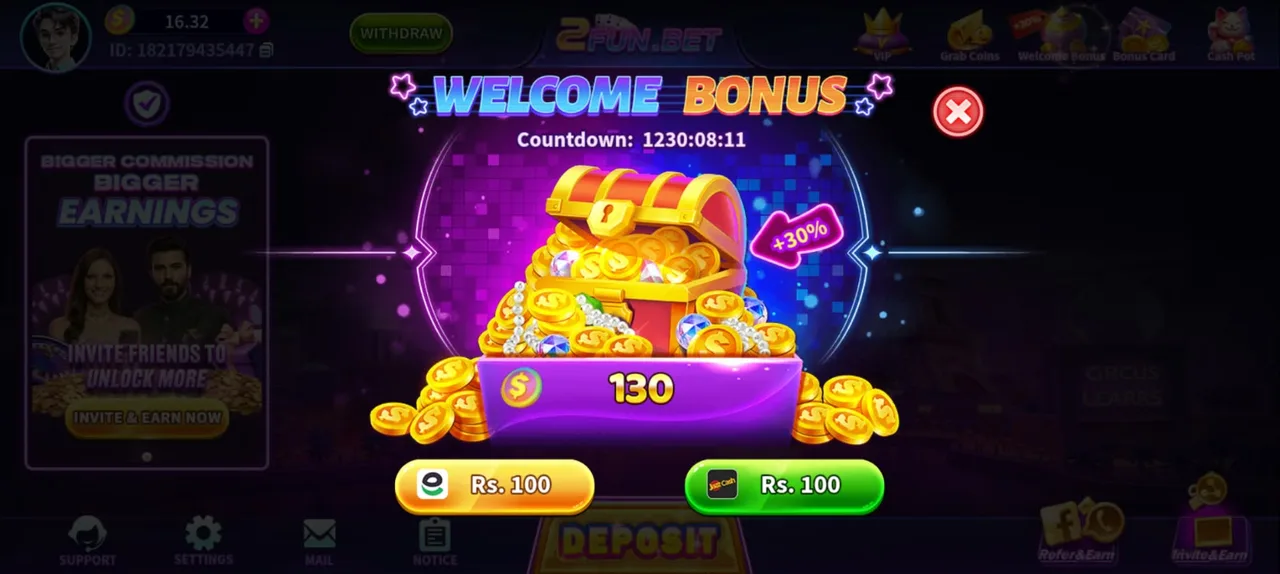
- Welcome bonus, recharge rebate, VIP progress and Invite & Earn rewards.
- In-app support, mail and notice screens.
Behaves a little differently
- Notifications: a web app receives fewer push alerts than a native install, so check the in-app mail for promotions.
- Storage: clearing Safari website data can log you out. Know your password rather than relying on the saved session.
- Low Power Mode: iOS throttles background activity, which can slow reconnects during fast rounds. Turn it off before you play.
iPad and Apple Silicon Macs
Everything above applies to iPad, and the extra screen space makes card tables much easier to read. On an M-series Mac you can use Safari the same way, though the layout stays phone-shaped. Mac users who want a fuller experience should read the download for PC page, which covers Android emulators that run natively on Apple Silicon.
Safety notes specific to iPhone users
Equally, do not jailbreak a phone you use for payments. A jailbroken device removes the sandbox that protects your Easypaisa and JazzCash apps, and it cannot be undone quickly if something goes wrong mid-session.
Troubleshooting on iOS
The page will not load
Switch between Wi-Fi and mobile data, then force-close Safari and reopen. If it still fails, clear Safari's cache for that site only, and be ready to log in again.
Add to Home Screen is missing
You are probably in Chrome or a private tab. Open the site in a normal Safari tab and the option reappears in the share sheet.
OTP does not arrive
Check that Silence Unknown Callers or an SMS filter is not hiding it, wait the cooldown, then request one more code. Repeatedly hammering the resend button often triggers a temporary block.
Game feels laggy
Close other Safari tabs, disable Low Power Mode, and restart the phone. iOS keeps a lot in memory, and a restart genuinely helps older iPhones.
iOS FAQ
Is there a 2fun bet app on the Apple App Store?+–
Real-money gaming apps face strict App Store rules and regional restrictions, so most players in Pakistan will not find a listing. The Safari web version added to your home screen is the practical route.
Can I convert the 2funbet apk to run on iPhone?+–
No. Apk files are Android packages and iOS cannot execute them. Any tool claiming to convert one is fake.
Will my Android balance appear on my iPhone?+–
Yes, as long as you log in with the same registered mobile number. The account, wallet, bonus progress and referral rewards are all server-side.
Can I deposit and withdraw from an iPhone?+–
Yes. The deposit and withdrawal screens work in Safari exactly as they do in the Android app, using the same Easypaisa and JazzCash channels.
Once you are logged in on iOS, the deposit guide explains funding your wallet, the withdrawal guide covers cashing out without delays, and the full game guide walks through the lobby itself.