
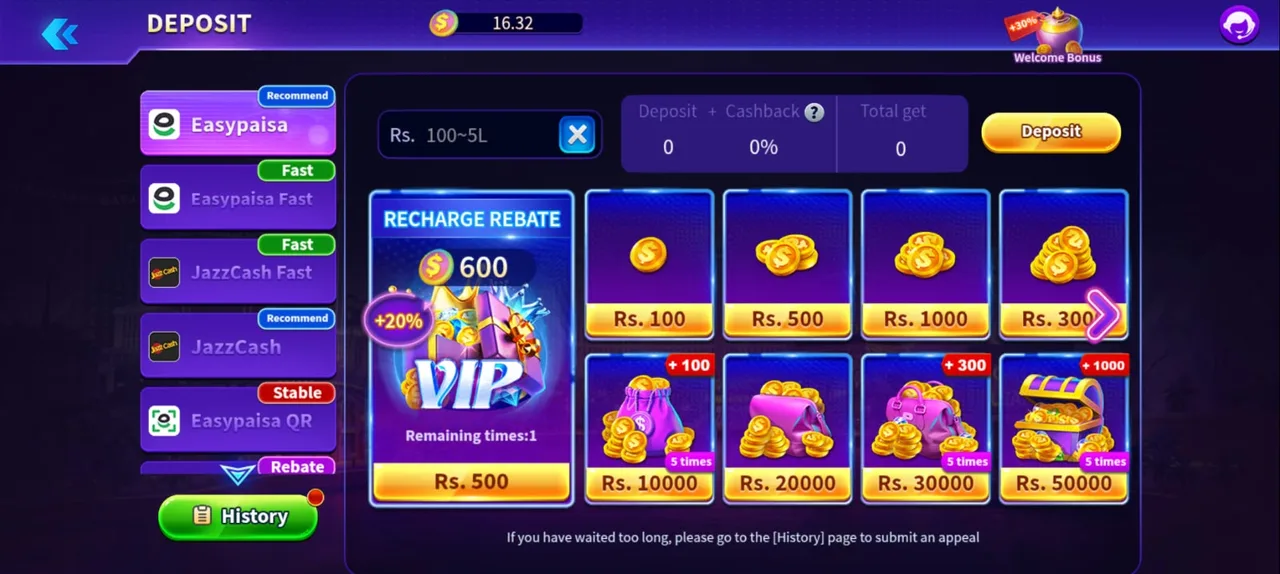
The deposit screen is where a gaming app either earns your trust or loses it, so it is worth understanding before you send any money. On 2fun bet the layout is clear: payment channels down the left, an amount box and preset tiles on the right, and a summary strip that shows your deposit, the cashback percentage and the total you will actually receive. Nothing is charged until you confirm, and the summary updates live as you change the amount.
Payment channels you will see
Channels are labelled with small tags — Recommend, Fast, Stable, Rebate — that hint at how they behave. The exact list can change as providers are added or maintained, but these are the ones Pakistani players usually see:
| Channel | How it works | Good for |
|---|---|---|
| Easypaisa | Standard transfer from your Easypaisa mobile account | Most players; usually tagged Recommend |
| Easypaisa Fast | Priority processing route for the same wallet | When you want the balance credited quickly |
| Easypaisa QR | Scan a QR code with your wallet app | Players who prefer scanning to typing details |
| JazzCash | Standard transfer from a JazzCash account | Jazz users; commonly tagged Recommend |
| JazzCash Fast | Priority route for JazzCash | Quicker crediting during busy hours |
How to deposit step by step
- 1Open the deposit screenTap the Deposit button in the bottom bar of the lobby, or the plus icon beside your balance at the top of the screen.
- 2Pick a payment channelSelect Easypaisa, JazzCash or one of the fast/QR variants on the left. The right-hand panel updates with the amounts that channel accepts.
- 3Choose an amountType a value inside the allowed range, or tap a preset tile. Some tiles carry an extra reward, shown as a small badge on the corner.
- 4Read the summary stripCheck the deposit, cashback percentage and total-get figures. What you see there is what will land in your wallet — do not assume a bonus applies unless it is shown.
- 5Confirm and complete the transferPress Deposit and follow the prompt in your mobile wallet app or the QR flow. Approve the exact amount shown.
- 6Wait for the balance to updateMost deposits appear within seconds to a couple of minutes. Keep the confirmation SMS from your wallet until you see the balance.
Bonuses attached to deposits
Welcome bonus
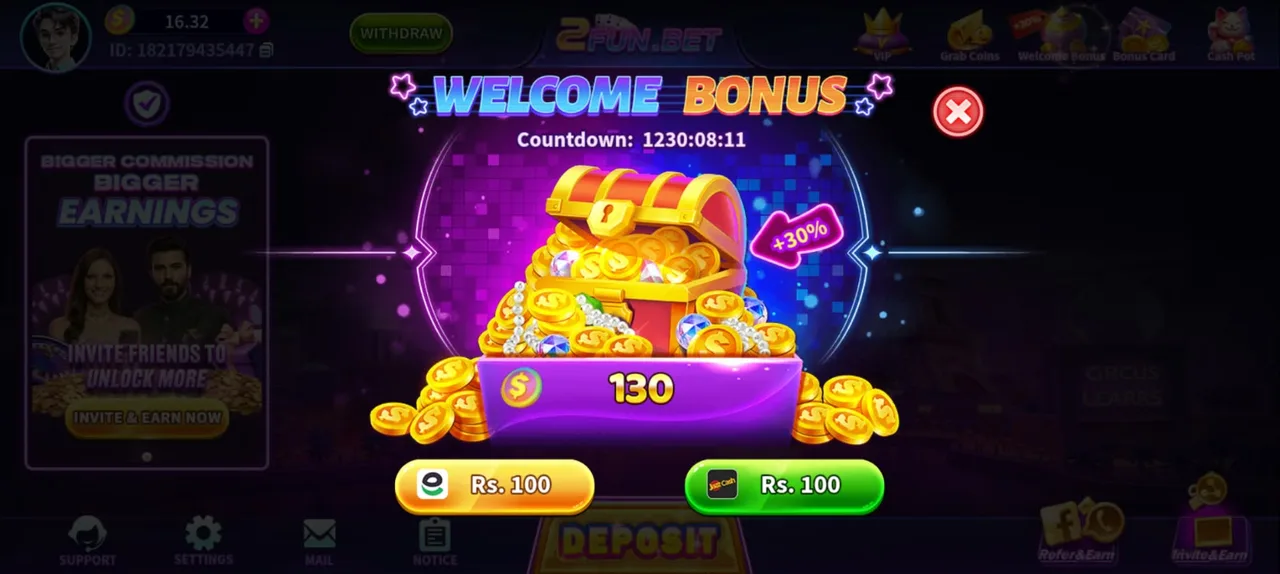
New accounts see a welcome bonus panel with a countdown timer and quick shortcuts for a small first deposit through Easypaisa or JazzCash. It is a one-off offer, it expires when the timer runs out, and the extra amount is credited on top of your deposit.
Recharge rebate
The deposit page also carries a recharge rebate tile showing a percentage added to qualifying amounts, with a "remaining times" counter telling you how many times the offer can still be used. Because the counter is limited, it is worth saving that offer for a deposit size you actually intend to make rather than burning it on a test transfer.
Wagering conditions
Bonus money almost always carries a play-through requirement: the bonus portion has to be wagered a set number of times before it, or winnings derived from it, can be withdrawn. This is standard across the industry and it is not a trick — but it is the reason a balance sometimes cannot be cashed out immediately. Read the terms shown on the bonus panel before accepting, and if you only want quick in-and-out play, consider skipping bonuses altogether.
Sensible deposit habits
- Test small first. Your first deposit on a new channel should be the minimum the channel accepts, purely to confirm that money lands.
- Set a monthly ceiling. Decide the total you are willing to lose in a month and never top up beyond it.
- Never deposit borrowed money. No exceptions, no matter how sure a round feels.
- Keep the SMS receipts. The transaction ID is what support needs if anything goes wrong.
- Do not chase. Depositing again immediately after a loss is the behaviour that turns a hobby into a problem.
When a deposit does not arrive
Occasionally a transfer completes on your wallet side while the game balance stays the same. This is usually a processing queue rather than a lost payment. Work through it in this order:
- 1Give it a few minutesClose and reopen the app so the balance refreshes. Busy periods add delay.
- 2Find your transaction IDOpen the confirmation SMS from Easypaisa or JazzCash and note the reference number and exact amount.
- 3Open History on the deposit pageThe History button lists your recent deposits and their status — pending, success or failed.
- 4Submit an appealIf the entry is missing or stuck, use the appeal option on the History page and attach the transaction ID, amount, time and channel.
- 5Contact in-app supportIf there is still no answer, message Support from the bottom bar with the same details. Avoid opening several appeals for one payment, which slows the review.
Deposit FAQ
What is the minimum deposit on 2fun bet?+–
The deposit box shows the accepted range for the channel you selected, and the minimum is deliberately low so new players can test the flow. Always read the range shown on your screen rather than a figure quoted on another website.
Which deposit method is fastest?+–
Channels tagged Fast are routed for quicker processing, but standard Easypaisa and JazzCash usually credit within a couple of minutes too. If one channel is slow at a busy hour, trying another often helps.
Do I pay a fee to deposit?+–
The game shows the amount you send and the total you receive before you confirm. Any charge from your mobile wallet provider is separate and is shown by that app.
Can I deposit from someone else's Easypaisa account?+–
Avoid it. Deposits and withdrawals should use a wallet in your own name, otherwise withdrawals get held for identity review.
Is the welcome bonus withdrawable straight away?+–
Bonus credit typically carries a play-through requirement before it can be withdrawn. Read the condition on the bonus panel before accepting it.
Once your wallet is funded, read the withdrawal guide so your first cash-out is smooth, and the full game guide for how the lobby and games work. Not registered yet? Start at the registration guide.